
How to apply a discount code
You will find the discount code field in the first step of the shopping basket, on the left below the list of items, under the heading "I have a discount code"
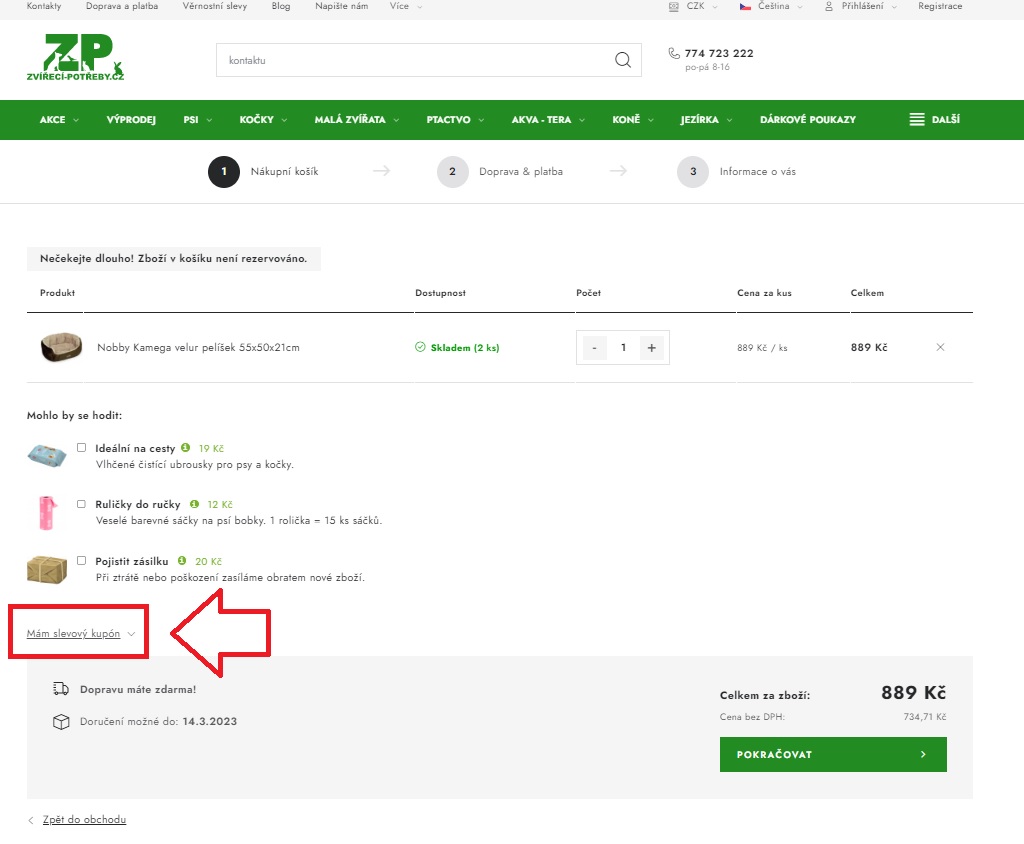
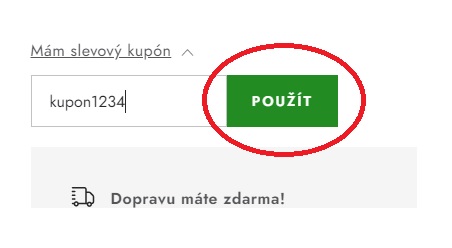
Click on the text: "I have a discount code" and the entry field will appear. Type the discount code into this field and click APPLY.
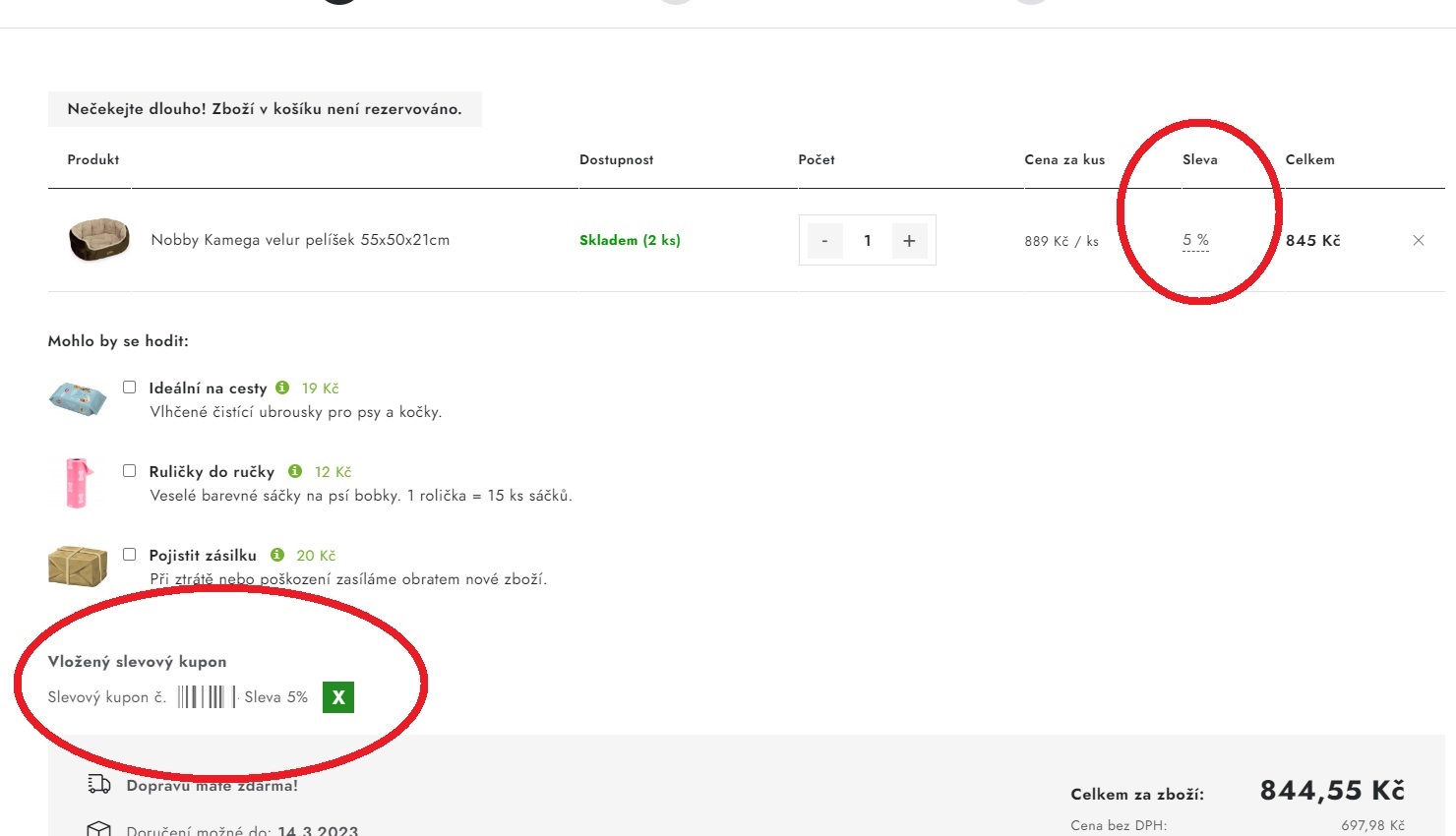
The discount will then be activated. You will see the amount of the discount on the item line, and the activated discount code at the bottom left.
I have entered the code but the discount has not been applied at all. What should I do?
The shopping basket will always tell you why the code was not accepted.
Discount codes cannot be applied to goods that are already discounted, nor combined with a loyalty discount.
It is not possible to apply more than one code at a time.